Every student answers. Every answer counts. No screens.
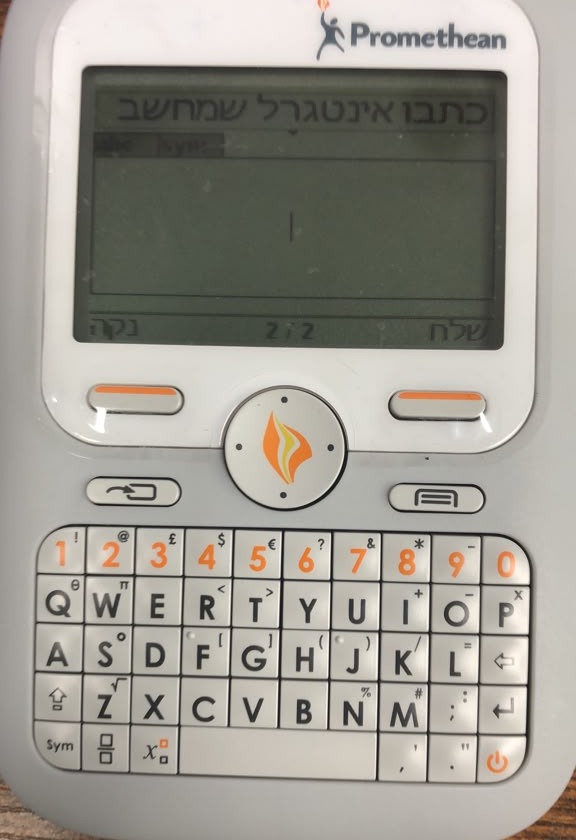
Simple handsets that do one thing: let each student answer. In Hebrew, offline, with per-student results for the teacher. We're choosing a small group of founding schools to pilot it this year.
Which school are you?
Two very different schools, one tool.
Data without screens
You're not bringing Chromebooks into the classroom. Good. You don't need to.
- No internet, no browser, no apps, no camera
- Students never touch a computer
- Only the teacher runs one program, on one laptop
- No smartboard or projector needed
Technology that serves the lesson
A device for every student, and half the class is on another tab. Teachers have given up.
- A handset with nothing to switch to
- No logins: hand it out and start
- Teachers keep teaching the way they teach
- Per-student data for data-driven instruction
What it does
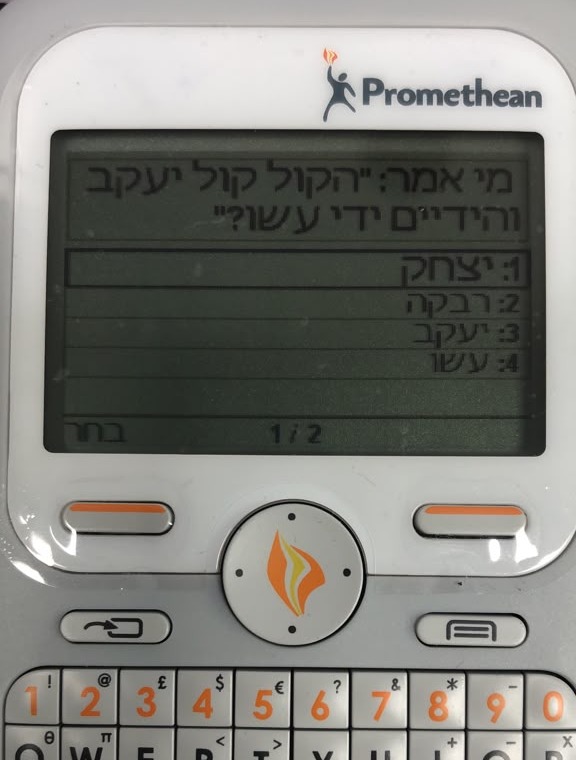
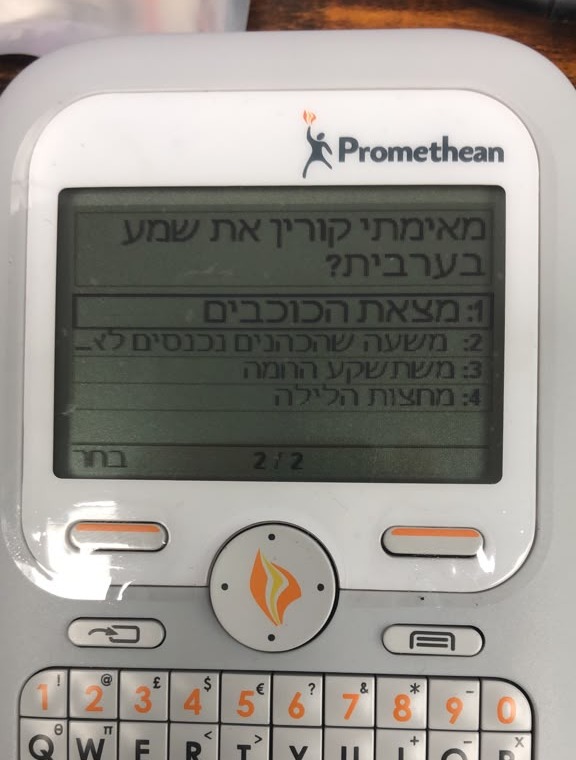
The teacher prepares a set of questions. Each student works through it on their own handset at their own pace. The teacher sees exactly who understood what.
Hebrew throughout
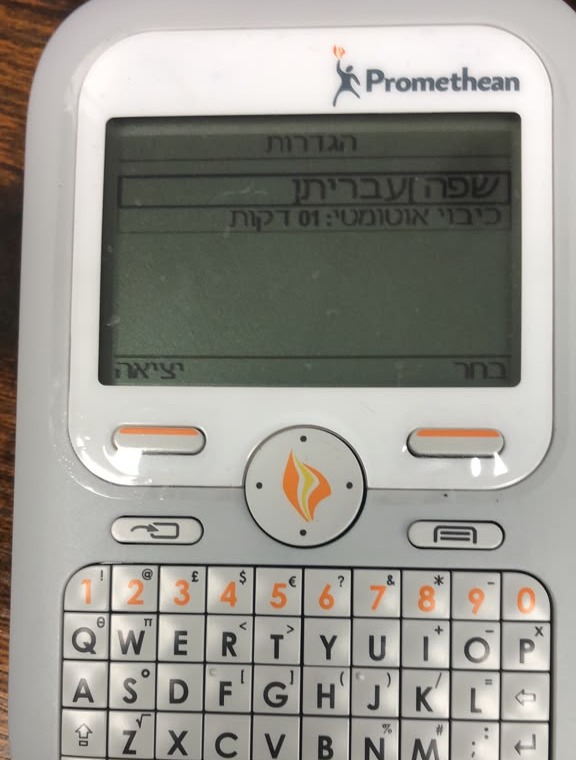
Questions and answers right to left, with final letters and long answers. Hebrew menus, or English, French or Spanish menus with Hebrew typing.
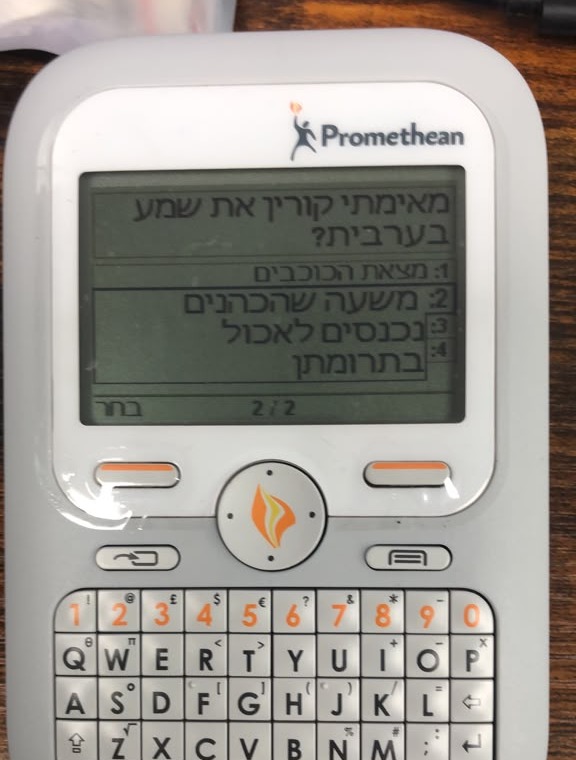
Students type Hebrew
The standard Israeli layout on the keypad: ש on A, ק on E, א on T. One tap of Shift switches to English and back.
Self-paced question sets
For chazara, quizzes and tests. Each student moves through the set at their own pace.
Seven question types
Multiple choice, yes/no, sort in order, scale, number, free text and equations.
Per-student results
Every answer and how long it took, in Hebrew, in ActivInspire. Export to Excel.
Nothing online
No student accounts and no cloud. The handsets talk only to the hub on the teacher's laptop.
How it works
Prepare
The teacher builds a question set in ActivInspire on their laptop, or uses one of ours.
Answer
Hand out the handsets. Each student works through the set at their own pace.
Review
See every student's results, question by question, and plan tomorrow's lesson from them.
You need: the handsets, one ActivHub (a USB receiver) and the teacher's laptop. No smartboard, projector or internet.
The founding pilot
We're working with a small number of schools this year to prove the results and shape the product.
What you get
- Your handsets set up for Hebrew
- Teacher training
- Ready Hebrew question sets for your curriculum
- Direct support from us
- Founding-school terms
What we ask
- One or two teachers using it weekly
- Short feedback calls
- Anonymous, class-level results to measure impact
- A testimonial if it works for you
Handsets
- Already own ActivExpression? We update your units.
- Don't have any? Tell us how many students. We're putting together starter sets.
Questions
What does it cost?
It depends on your school: how many classes, and whether you already own handsets. Get in touch, and we'll talk through founding-school terms with you.
Do we need a smartboard or projector?
No. With question sets, the questions show on each student's own handset. For a quick question on the spot, you can simply ask it aloud. The teacher needs only a laptop and the hub.
Can we ask one quick question on the spot?
Yes. Ask it aloud, point to a pasuk, or put it on the board, and every student answers on their handset, even typing in Hebrew. For a quick question, students rely on you to show or say it. Prepared question sets go further: the Hebrew question appears on each student's own screen, so everyone works at their own pace and you get a full record per student.
Which handsets are supported?
ActivExpression 2 and ActivExpression 1. Tell us your model and we'll confirm.
Can a handset go back to how it was?
Yes. The original firmware is kept and can be reinstalled at any time.
Do the handsets still work in English?
Yes. English and the other built-in languages are unchanged.